AXWareSpeedX2 (Dual Lane) - Live Timing
The Live Timing Module extends AXWareSpeedX2 to provide several forms of Live Timing content using various methods to push the timing data to the WEB or a local WEB Server. Content is report based or streamed to WEB server.
- Easy to setup and manage
- Simple select the location and method to push your data
- Select the format
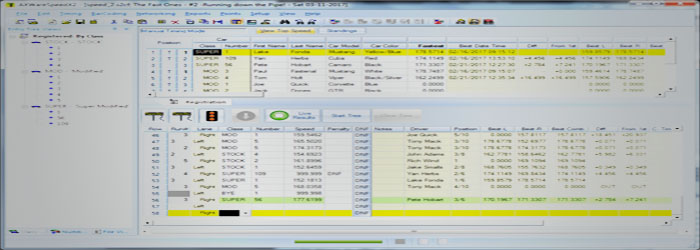
- Press the Live Timing button in the Staging Window in AXWareSpeedX2.
Live Timing Options
The goal of Live Timing is to give you the flexibility and options that allow you to select and tune the format of the results as well as the locations that will host your results.
Select hosting solutions:
For Broadband Support:
- Use AXWare Systems STORM for hosting
Live Timing Streaming or Live Timing report based results.
- Direct Live Timing Streaming Hosting is also available. See: STORM Live Timing Streaming
- Live Timing Content can be pushed to your own WEB server.
Live Timing options
Select and tune the Live Timing formats based on what you'd like to see. In addition, the Live Timing formats can be adjusted and customized via the Print Templates to help you select exactly what data elements you'd like to see in the Live Timing reports. The defaults for the Live Timing formats was adopted based on feedback from our clients and should serve as a solid starting point. It may be used out of the box or fine tuned to your needs.
Live Timing Results support Smart Devices and have responsive HTML formatting. We also strive to provide essential information for the event that that it is easily and quickly viewable. Headers and footers are optional in order to provide quick and uncluttered views of the live timing data. The content is based on a efficient viewing experience and report generation, all without extraneous content that can clutter content and would normally require additional scrolling and zooming. Additional content can be provided via optional headers and footers.
Live Timing can be configured as outlined below:
- Streaming Live Timing:
Streaming to AXWare Systems STORM - with a club subscription to
AXWare Systems STORM you may choose to stream live timing data to ORM directly. The Streaming Feed is managed automatically once selected and activated via the
Live Results button in the staging grid.
Streamed Timing results are viewed by any browser on any device.
- Report based Live Timing Results:
This method provides you with several styles of Live Timing that allow you to select the content and style of views that best serve your events. See below for Live Results Formatting options.
- Live Results directly to AXWare Systems STORM - upload results
reports into STORM directly. All that is necessary is authentication information for STORM and the rest is manage automatically.
- Live Results/file based - publish results to specified locations either on your Timing computer or to any computer on your local network, including a Hots pot (your local web server). Provide your entrants the IP or web server name to access the Live Results locally.
- FTP/SFTP (File Transfer Protocol/Secure FTP) - results are uploaded to a hosted web site, using FTP/SFTP. The web server hosts the results to a public URL that is provided to your entrants and others following the event.
Live Results Formatting (non-streaming)
The Live Timing results formatting can be used as-is out of the box but you can customize using various content options, Print Options and Print Templates. This allows you to add or remove content and format the reports.
The default formats have been tuned and selected based on client feedback and may provide all the necessary information you require.
Live Results are generate in 2 basic formats:
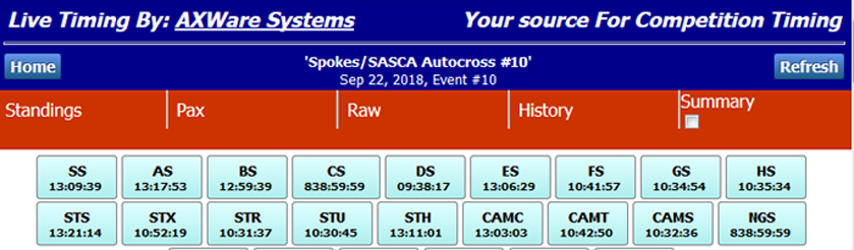
- Structured - this format contains a Home Page and individual Class Pages.
The Home Page contains:
- summary of the event
- links to individual Class pages
- Real Time Run History
- list all classes with time stamps for each class respective to the when runs where last recorded for each class
- Optional TTOD report
Class Pages contain:
- Full Class Results
- Back button for returning to the Home Page.
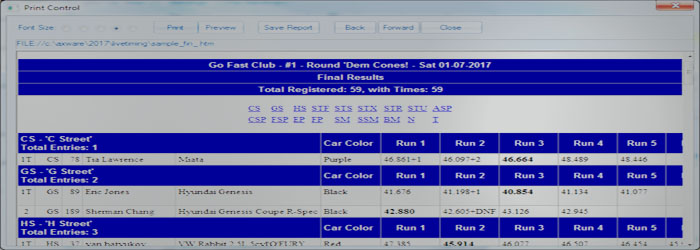
- Non-Structured - this format is similar to the Final Results.
- Live Results are contained in a single report (1 file) providing:
- Full Results
- Real Time Run History (up to 10 runs)
- TTOD Report
- Streamed Live Timing is subject to different formatting constraints and since the data is provide from a data base, the formatting is managed via selectable data content on the web server as well as provided web server software.
Optional Live Timing Features
The Live Timing reports provide an optional Real Time Run History that lists the most recent runs for up to 10 vehicles. We expect that most will turn this feature ON since it provides a summary of the most recent runs in one concise area.
 AXWare Systems - Timing Is EVERYTHING!
 AXWare Systems - Competition Timing Systems!
 AXWare Systems - Timing Is EVERYTHING!
 AXWare Systems - Competition Timing Systems!
 AXWare Systems - Timing Is EVERYTHING!
 AXWare Systems - Competition Timing Systems!
 AXWare Systems - Timing Is EVERYTHING!