AXWareSpeedX2 (Dual Lane) - Networking
The AXWareSpeedX2 Networking Module extends AXWareSpeedX2 by providing additinal computers to manage the data for the event.
Networking is provided on the Timing Computer by activating the Networking feature. This allows Client computers to connect to the T&S Server to obtain and manage data respective to their function as outlined below.
The client computers will connect to the T&S Timing Server via TCPIP and exchange data respectively.
Networking Clients
- Registration Client I & II: Registration Clients (2 clients are available).
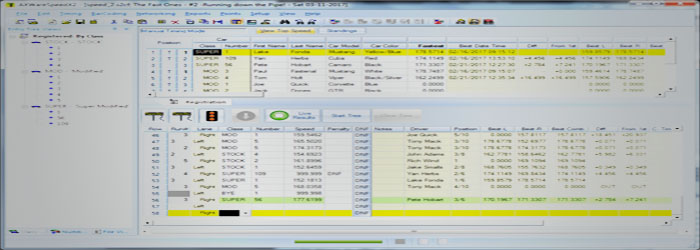
Registration clients provide remote registration capabilities adding 2 additional computers that can help speed up registration or provide registration throughout the event, as necessary. Timing control, timing data and related functions are disabled on the Registration Clients.
You can:
- enter and edit registrations
- print registration based reports
- most any feature of registration.
- Note: No timing data will be seen on these clients.
- Announcer Client: Announcer Client provides a 'read-only' style of views allowing data to be displayed and viewed any way necessary. These can provide your announcers full data access to pull up data in the registrations, staging, any reports.
For usual announcing purposes the Announcer Window provides a consolidate view of the event providing, staging information, run history and class standings on one screen.
The Announcer Clients can view, print, display and manage anything, all without the ability to edit any data, including the ability to display times on a Display if so configured.
You can:
- view
- display times on displays
- Announcer Window real time announcer information)
- Print reports
- Print time slips
- Live timing
- Live streaming
- Timing Displays
- Announcer Window
- and view anything about the event
- Audit Client - provides full editing functionality including Registrations and Staging data. You can edit entrants times, penalties and other effective timing changes.
This relieves the Timing Server and the T&S persons from managing penalty changes, audits and edits during the event. The Audit Client can make those changes real-time and seamlessly. The T&S persons can then focus on staging cars and keeping timing rolling.
WIFI
The WIFI setup requires a robust WIFI Network that can consist of a high output AP (Access Point) similar to the Ubiquity Nanostation M5. Extending the network can consist of several Ubiquity Nanostation M5 running as AP-Repeaters that both provide WIFI support for Android devices at longer distances on course. The location of the Nanostations is fairly important and should be in clear line of sight configurations. The main challenge is providing power to the remote Nanostation, which is powered by PoE (power of Ethernet) with 24VDC support.
Car, truck or
Golf cart batteries, inverters and various other power systems can be used to provide the remote station power, which can include a generator with AC/DC adapter for PoE that comes with the unit.
 AXWare Systems - Timing Is EVERYTHING!
 AXWare Systems - Competition Timing Systems!
 AXWare Systems - Timing Is EVERYTHING!
 AXWare Systems - Competition Timing Systems!
 AXWare Systems - Timing Is EVERYTHING!
 AXWare Systems - Competition Timing Systems!
 AXWare Systems - Timing Is EVERYTHING!