AXWareTS - Distributed Management Android Applications
The AXWare Distributed Management components feature several Android Applications to help manage your events.
They provide AXWare Live Timing (streaming), Penalty Management, and Staging control.
AXWareDM Client - Penalty Manager
With v16.x+ we are introducing a
Penalty Management that is a Networking Extension providing explicit penalty
control from a PC other than the T&S Server. Penalties are managed on a
corner by corner basis providing additional information for your events and
entrants. The power of the
Penalty Management is to off-load the work load necessary to manage
penalties. T&S can concentrate on the sequencing of vehicles and event
control, while the Penalty Manager handles all penalties.
Click Penalty Management for more information.
AXWareDM Component - AXWareTS Staging
Use an Android device to stage vehicles at the start line using our
AXWareTS Staging Android Application.
The registration list is fed to
AXWareTS Staging
and provides an easy to use, visual method to stage
entries. The list of entrants is provided in a By Class and By Number view
with various controls to make it easy to select entries. Find the entry to
stage and click a button, DONE!
Click
AXWareTS Staging
for more information.
AXWare Live Timing
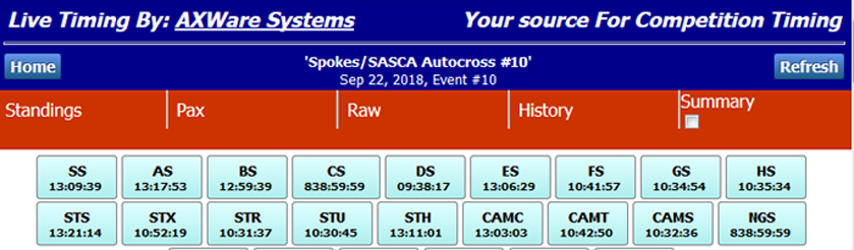
The AXWareLiveTiming provides Live Streaming for events hosted in AXWare Systems ORM.
This is a
full circle cloud based solution that provides streaming from AXWareTS,
to AXWare ORM and then push to the AXWare
Live Timing application on your Android device.
The App not only offers real-time streaming but provides access to results for any club that is hosting results in AXWare ORM. Quick access is provide to view normal hosted results as well.
What is required?
The basic configuration requires the following:
- Live Timing Module for AXWareTS. This provides the feed to
AXWare ORM for your events.
-
A club subscripotion to AXWare ORM.
- AXWare Live Timing Android application
- Broadband connectivity at the site.
How does it work?
Live Streaming is available during an event when Live Streaming is configured and turned on during the event.
The runs are sent to the AXWare ORM server as they are recorded or edited. Once they are recorded in AXWare ORM they are then available to AXWare Live Timing on
Android.
Live Streaming is typically on provided during the day of the event. Here are the basic steps to activate the Live Streaming option::
- Click on the club you want to view
-
If GO LIVE BUTTON is visible, press it to view Live Streaming
data. List Timing is available on the day of the event.
Select the view you want to see (options):
- Streaming - runs are displayed with most recent at the top
-
By Class - select the classes you want to view - class
results are automatically updated as the data is streamed in.
- By Raw Time - top drivers in Raw time order
- By Pax Time - top drivers in Pax Time order.
From the event list view, you can also click on the DYNAMIC RESULT Button
for prior events, or Click on any results listed in the Results section.
This will pull up a web browser for the official results from AXWare ORM.
These are the same results available from the Calendar or Club Results
in AXWare ORM.
There are a few settings that allow you to tune the Android application:
-
turn active streaming on and off. This is very helpful to
reduce network traffic and when active streaming is not necessary.
-
the interval used to fetch live data from AXWare ORM.
- number of entries to to display on the various views in the application (to reduce the overall amount of displayed data).
- and others...
 AXWare Systems - Timing Is EVERYTHING!
 AXWare Systems - Competition Timing Systems!
 AXWare Systems - Timing Is EVERYTHING!
 AXWare Systems - Competition Timing Systems!
 AXWare Systems - Timing Is EVERYTHING!
 AXWare Systems - Competition Timing Systems!
 AXWare Systems - Timing Is EVERYTHING!